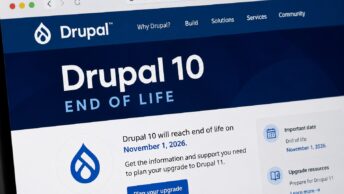
To migrate Drupal 10 to 11 on a typical site is, with a clean audit and a supported hosting stack, a sequence of Composer commands and a careful post-upgrade verification pass. On an unprepared site it is a multi-day project full of surprise blockers. The difference is almost entirely in the preparation, and the deadline is the same either way: Drupal 10 reaches end of life on December 9, 2026, after which the 10.x branch stops receiving security patches.
This guide walks the upgrade end-to-end: the prerequisites that must be in place before you touch Composer, how to audit your code and modules against Drupal 11, the six core modules that no longer ship with Drupal 11, the five-step Composer process itself, and the recurring gotchas that ambush sites that skip steps. The companion Drupal 11 overview covers what is new in the platform; this post is about getting there.
Prerequisites: what must be true before you start
Five conditions need to be in place before the upgrade is safe to attempt. Confirm each on your environment before running any Composer commands.
- Drupal 10.3.0 or later: the supported migration path requires the 10.3+ floor. Sites on 10.0, 10.1, or 10.2 should upgrade to 10.3 (or the latest 10.x) first as a separate, lower-risk step.
- PHP 8.3.0 or later: Drupal 11 dropped support for PHP 8.1 and 8.2 (official upgrade guide on drupal.org). On managed hosts like Pantheon, Acquia, or Platform.sh, this is usually a dashboard toggle. On self-hosted environments, it can require an OS-level upgrade.
- Drush 13: older Drush versions do not work with Drupal 11. Update Drush to the 13 line before running any post-upgrade database scripts.
- Composer 2.5 or later: required for the dependency resolver to handle Drupal 11’s metadata cleanly.
- A complete backup: database export, files directory, and any custom modifications to scaffold files (`.htaccess`, `robots.txt`, `web/sites/default/default.settings.php`). The scaffold files will change during the upgrade and your customizations need to be reconciled afterward.
If any of these is not in place, that gap is your first work item. Do not attempt the Composer step until all five conditions hold.
Audit your site with Upgrade Status
The single most important step before running the upgrade is the audit. Install the Upgrade Status module on your Drupal 10.3+ environment and run its full analysis.
Upgrade Status reports three categories of finding:
- Contributed modules with Drupal 11 releases ready: no action needed. The module already has a compatible release.
- Modules with Drupal 11 releases in beta or alpha: track them. Most will reach stable before December 9, 2026, but watch the release history.
- Modules with no Drupal 11 work yet: the blockers. For each, decide between four paths: wait for a maintainer release, fork the module and port it yourself, swap to a Drupal 11-compatible alternative, or drop the feature.
Upgrade Status also scans your custom code for deprecated API usage. For mechanical patterns, Drupal Rector automates many of the fixes. Run Rector against your custom modules and themes; it will not catch everything, but it removes the obvious deprecations and leaves a much shorter manual-fix list.
Plan for the audit to take longer than you expect, especially on sites with significant custom code. A clean audit is what makes the actual upgrade routine; a skipped audit is what makes it a crisis.
Six core modules removed in Drupal 11
Drupal 11 removed six modules from core that shipped in Drupal 10. If your site uses any of them, install the contributed replacement on your Drupal 10.3+ environment before starting the upgrade.
- Actions UI: now available as a contributed module on drupal.org.
- Activity Tracker: contributed equivalents available; some sites discover they were not actively using it and can drop the feature.
- Book: contributed module maintained for sites with substantial Book-organized content.
- Forum: contributed module available; many sites have already migrated to Discourse or another dedicated platform.
- Statistics: most sites should replace with a real analytics tool (Microsoft Clarity, Google Analytics, Matomo) rather than the contributed equivalent.
- Tour: contributed module available for sites with custom tour content.
The pattern: install the contributed replacement, confirm it works on Drupal 10, then upgrade. Removing a core module that your site is actively using without a replacement in place will produce missing-data errors at upgrade time.
Migrate Drupal 10 to 11: the five-step Composer process
With prerequisites in place and the audit clean, the upgrade itself is short. Run these on your dev or multidev environment first. Promote to staging and production only after the dev upgrade verifies clean.
Step 1: loosen file permissions on settings.
chmod u+w web/sites/default
chmod u+w web/sites/default/settings.php
Drupal’s settings file is typically read-only outside of installation events. Composer needs to be able to write to it during the upgrade.
Step 2: update the core requirement.
composer require 'drupal/core-recommended:^11' 'drupal/core-composer-scaffold:^11' 'drupal/core-project-message:^11' --update-with-all-dependenciesThe core-recommended package pulls in the Drupal 11 core and its tested dependencies. The --update-with-all-dependencies flag tells Composer to update transitive dependencies as needed. If Composer reports unresolvable conflicts, this is where they surface. Use composer why-not drupal/core ^11 to diagnose which package is blocking the resolution.
Step 3: run the update.
composer updateThis applies the dependency changes. Scaffold files will be regenerated; if you have customizations to .htaccess, robots.txt, or default.settings.php, expect them to be touched.
Step 4: run the database updates.
drush updatedb
drush cr
drush updatedb applies Drupal’s pending database schema changes for the new version. drush cr rebuilds the service container and caches, which is required after a major version upgrade for Drupal to pick up the new code.
Step 5: restore file permissions.
chmod u-w web/sites/default/settings.php
chmod u-w web/sites/default
Returning the settings file to read-only is a basic hardening step. The upgrade is complete after this.
Gotchas to plan for
Even on well-prepared sites, three patterns commonly bite during the upgrade window. Surface them now so they do not arrive as surprises.
Composer resolution failures. If composer require reports an unresolvable conflict, do not force-update past it. Run composer why-not drupal/core ^11 to identify which package version constraint is blocking. The fix is usually one of three things: the blocking module has a Drupal 11 release you can require explicitly, the constraint in your composer.json is over-specific and needs loosening, or the blocking module is the one without a Drupal 11 release at all (in which case you are back at the audit step).
Scaffold file customizations. Drupal’s scaffold mechanism updates files like .htaccess and robots.txt during the upgrade. If you have customizations (Apache rewrite rules, security headers, custom robots directives), they will be overwritten unless your composer.json extra.drupal-scaffold section excludes them or merges your changes. Restore customizations manually after the Composer update completes, or configure scaffold exclusions before starting.
Drush 13 behavioral changes. Drush 13 reworked several command outputs and removed deprecated subcommands. Scripts that parse Drush output (CI pipelines, deployment automation) may break. Audit your automation against the Drush 13 release notes before relying on the upgraded site in production.
After the upgrade: verify before declaring done
Composer reported success and drush updatedb finished cleanly. That is not yet "done." Run through this verification list before promoting to production.
- Check site status:
drush statusshould report Drupal 11.x and PHP 8.3+. The Drupal Version line is the authoritative signal. - Check module status:
drush pm:list --status=enabledshould not list any modules in an error state. Anything that needs to be re-enabled or has fallen back to an experimental status needs attention. - Walk the critical user flows: log in as admin, log in as a typical end-user role, hit the homepage, hit the main content type’s view page, hit the main view, submit a content form, render an edit screen. The flows your traffic actually uses are what matter, not a generic happy-path checklist.
- Performance baseline: a render-time check on the homepage and a few content pages. Drupal 11.3 brought significant performance improvements, but a custom theme or module can mask them. Establish the new baseline so you can spot regressions later.
- Re-test the scaffold customizations: confirm any restored `.htaccess` or `robots.txt` customizations are in place and behaving as expected.
When the verification list is clean on dev, promote through your staging path. When it is clean on staging, promote to production. Resist the temptation to skip a stage; the gotchas above can surface on any environment depending on what was in its dependency state before the upgrade. For the architectural context behind why Drupal 11 looks the way it does (the Symfony 7 dependency, the Composer-first workflow, the EventDispatcher-driven internals), see our companion piece How Drupal Is Built on Symfony.
Frequently Asked Questions
How long does the upgrade actually take on a typical site?
The Composer-driven steps themselves usually run in a few minutes on a clean environment. The work that surrounds them is what varies. A site with no custom code and well-maintained contributed modules can be upgraded in a half-day including verification. A site with substantial custom code, custom themes, and audit-flagged blockers can take days or weeks across the audit, refactor, upgrade, and verification phases. Budget time by the audit findings, not by the Composer commands.
Can I migrate Drupal 10 to 11 without going through Drupal 10.3 first?
No. The supported upgrade path requires Drupal 10.3.0 or later as the floor. If your site is on 10.0, 10.1, or 10.2, treat the 10.x minor upgrade as a separate prerequisite step. It is itself low-risk and short; complete it, verify the site, then start the Drupal 11 audit.
What if a contributed module I depend on does not have a Drupal 11 release?
You have four options: wait for the maintainer to release, fork the module and port it yourself (the maintainer often welcomes the patch), swap to a Drupal 11-compatible alternative, or drop the feature. The right call depends on how central the module is to your site and how active its maintainer is. Reach out to the maintainer before assuming the module is dead; many have releases in development that haven’t shipped a stable version yet.
Do I need to be on PHP 8.3 before the upgrade, or can I upgrade them together?
PHP 8.3 needs to be running on the environment before the Drupal 11 upgrade. Drupal 11 will refuse to install on PHP 8.2 or earlier. On managed hosts the PHP upgrade is a separate step (usually a dashboard toggle); do it first, verify the Drupal 10 site still runs cleanly on PHP 8.3, then proceed with the Drupal 11 upgrade.
What is the rollback plan if the upgrade fails on production?
On production, the rollback is your pre-upgrade backup. Restore the database, restore the files directory, and revert the codebase deployment. This is why the dev and staging environments matter: surface the failures there, not on production. Most production rollbacks happen because the upgrade was promoted from a dev environment that itself had not passed the full verification list.