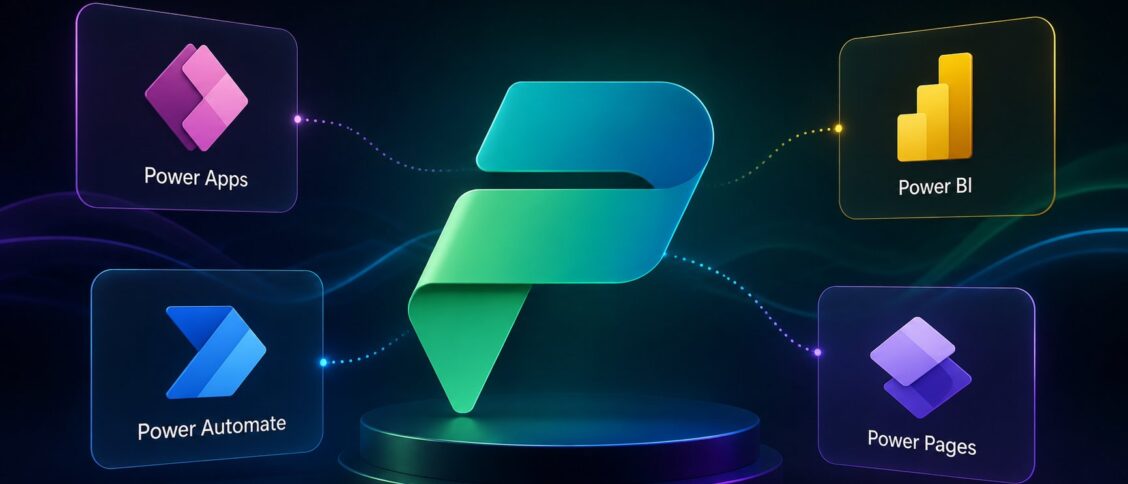
Microsoft Power Platform is Microsoft’s unified low-code application development and automation suite. It brings together five major products under one umbrella: Power Apps for building custom business applications, Power Automate for workflow automation, Power BI for business intelligence and data visualization, Power Pages for external-facing websites and portals, and Microsoft Copilot Studio for building AI agents. The platform sits next to Microsoft 365 and Dynamics 365 in the broader Microsoft business stack, and over the past several years has emerged as one of the most consequential extensibility surfaces for organizations standardized on Microsoft. Understanding what’s in Power Platform (and what each product is for) is increasingly part of basic IT and business operations literacy in Microsoft-heavy organizations.
This post walks through what Power Platform actually is, the five constituent products and what each one does, where the AI capabilities live within the suite, who uses Power Platform in real organizations, the licensing reality, and how to think about whether Power Platform fits a given business problem.
What "low-code platform" actually means
Power Platform’s defining design choice is that it’s primarily a low-code platform: most of what you build can be built without writing traditional application code, through visual designers, drag-and-drop interfaces, and configuration-driven workflows. The trade-off is the standard low-code trade-off: faster initial development, easier handoff to non-developers, but constraints on what’s possible compared to writing the same application in C#, JavaScript, or another general-purpose language.
The intent is to let business users (analysts, operations teams, marketing teams) build solutions to their own problems without IT becoming a bottleneck for every new request. The practical reality is more nuanced: some Power Platform projects do live entirely in business-user hands; others are co-built by business users and IT; many are built by professional developers using Power Platform as a faster alternative to traditional code for certain categories of project.
The five Power Platform products share several characteristics: they live in the Microsoft cloud, they integrate natively with Microsoft 365 and Dynamics 365 data, they’re governed through Power Platform admin centers, and they’re licensed under Microsoft enterprise agreements. Building on Power Platform commits an organization to Microsoft’s ecosystem in non-trivial ways.
The five products
Power Apps. Build custom business applications without writing traditional code. Power Apps comes in two flavors. Canvas apps let users design the UI freely (drag controls onto a canvas, define data sources, write expressions to handle logic). They’re useful for highly customized application experiences with specific UI requirements. Model-driven apps generate UI automatically from the underlying data model (Dataverse, Microsoft’s data platform that ships with Power Platform). They’re useful for standardized business applications where the data model is the central design concern. Common Power Apps use cases include inspection forms for field service teams, custom CRM workflows beyond what Dynamics 365 covers out of the box, internal-tool applications for specific departments, and any business process that needs more than a spreadsheet but less than custom software.
Power Automate. Workflow automation, formerly known as Microsoft Flow. Build automated workflows that trigger on events (a SharePoint document being uploaded, a Teams message arriving, a row being added to a database) and perform actions across the Microsoft ecosystem and hundreds of third-party services. Power Automate supports cloud flows (running in the cloud) and desktop flows (RPA-style automation running on a desktop, useful for legacy applications that don’t have APIs). Common use cases include approval workflows, document routing, data synchronization between systems, alerts and notifications, and any cross-application orchestration that would otherwise require manual handoffs.
Power BI. Business intelligence and data visualization. Connect to data sources (databases, Excel files, SaaS APIs, custom feeds), build datasets and data models, and create interactive dashboards and reports. Power BI is the BI piece most Microsoft-centric organizations standardize on, competing primarily with Tableau in the enterprise BI market. Common use cases include executive dashboards, departmental performance reporting, ad-hoc data analysis, and embedded analytics inside other applications.
Power Pages. External-facing websites and portals built on the Dataverse data platform. Formerly known as Power Apps Portals. Customers, partners, and other external audiences can interact with Microsoft-managed data through a branded site. Common use cases include customer self-service portals (similar in shape to Salesforce Experience Cloud), partner-collaboration sites, public-facing program intake forms, and event registration sites. Power Pages is the newest of the five products in its current form and the one most overlapping with other Microsoft-stack options (SharePoint, custom web applications).
Microsoft Copilot Studio. AI agent building. Build conversational agents that operate inside Microsoft 365 Copilot, in Teams, on websites, via voice, and in other channels. Covered in detail in our Microsoft Copilot Studio April 2026 recap. Copilot Studio is the newest member of Power Platform (formerly known as Power Virtual Agents until the rename to Copilot Studio in late 2023) and arguably the most strategically important as Microsoft’s AI agent strategy matures.
Where the AI lives in Power Platform
Power Platform has been Microsoft’s primary surface for embedding AI into business workflows. Several layers of AI capability run through the suite:
- Copilot Studio: the dedicated agent-building product, the most-visible AI surface in Power Platform.
- Copilot in Power Apps: AI assistance for building apps faster (describing what you want, getting suggested app structures and formulas; AI-generated form fields based on data context).
- Copilot in Power Automate: natural-language flow creation (describe an automation in English, get a draft flow), plus AI-powered actions inside flows.
- Copilot in Power BI: natural-language data exploration (ask questions about your data in conversational form), AI-generated insights and visualizations.
- AI Builder: a Power Platform component that lets non-AI-specialist users build models for common use cases (form processing, sentiment analysis, object detection, prediction).
- Microsoft Agent 365: the tenant-level governance and management layer for AI agents built across Power Platform, Microsoft 365, and partner sources. Covered in our Microsoft Agent 365 piece.
The pattern is consistent: AI capability gets embedded into the relevant product where it makes a workflow faster or unlocks behavior that wasn’t possible before. The integration depth is the central reason organizations in the Microsoft ecosystem default to Power Platform for AI-augmented internal applications.
Who uses Power Platform
Power Platform serves a few distinct audiences inside most organizations.
Citizen developers. Business users (analysts, operations specialists, departmental experts) who build their own solutions to their own problems. This was the original Power Platform pitch and remains a meaningful audience, though the realistic version is "citizen developers building moderately-complex tools with IT support" rather than the marketing version of "anyone can build anything."
Professional developers. Software developers who use Power Platform for projects where the productivity gain over traditional development is meaningful. Power Apps for internal tools, Power Automate for workflow orchestration, Power BI for analytics: all are credible choices for professional developers in Microsoft-stack organizations.
IT operations and admins. The people who govern, configure, and maintain Power Platform across the organization. Power Platform has substantial admin tooling (environments, data loss prevention policies, security configuration, license management) that IT teams use to keep the platform safe and compliant.
Department-level power users. Business unit leaders who sponsor Power Platform projects within their teams. Often the bridge between business needs and citizen developer capacity, identifying which problems are worth solving on Power Platform and which require traditional development.
The healthiest Power Platform programs involve all four roles working together rather than treating Power Platform as purely an IT product or purely a business-user product.
The licensing reality
Power Platform licensing is complex and bears understanding before any serious project commitment. The simplified picture:
- Many Power Platform capabilities are included in Microsoft 365 licenses at various tiers. The included capabilities are real but limited (Power Automate flows have throttling, Power Apps usage is capped per user, Power BI included reports are limited to certain features).
- For deeper use, Microsoft sells per-user and per-app Power Platform licenses (Power Apps per-user, Power Apps per-app, Power Automate per-user, Power BI Pro/Premium, Copilot Studio messages, etc.).
- Some capabilities (premium connectors to non-Microsoft systems, AI Builder credits, certain advanced features) require additional licensing on top of the per-user/per-app pricing.
- Enterprise customers typically negotiate Power Platform licensing as part of broader Microsoft enterprise agreements rather than buying licenses item by item.
The practical implication: any meaningful Power Platform commitment requires a real conversation with Microsoft (or a Microsoft partner) about licensing scope. The "we’ll just turn it on and see how it goes" approach often discovers that the actual production scope requires substantially more licensing than the initial pilot suggested.
For organizations evaluating Power Platform for the first time, modeling the licensing cost at realistic production scope is essential before committing to architecture decisions that depend on the platform.
When Power Platform fits (and when it doesn’t)
Power Platform tends to fit when:
- The organization is heavily standardized on Microsoft 365 and/or Dynamics 365 and the integration depth pays back.
- The application or workflow needs to integrate with Microsoft data sources (SharePoint, Teams, Exchange, Dataverse, Dynamics 365) as the primary use case.
- The development pattern is well-suited to low-code (forms, workflows, dashboards, simple custom applications) rather than highly customized UI or complex business logic.
- The organization has either citizen-developer capacity or professional developers with Power Platform expertise.
- The licensing math works out at realistic production scale.
Power Platform tends to fit less well when:
- The organization isn’t heavily standardized on Microsoft. Power Platform’s value compounds with Microsoft 365 and Dynamics 365; without that foundation, the case is much weaker.
- The application needs highly custom UI or complex client-side behavior that low-code constrains.
- The licensing cost exceeds the value of the application being built. Some Power Platform projects look cheap initially but require premium-tier licensing at scale.
- The application is consumer-facing at high volume. Power Pages and Power Apps Portals work but aren’t typically the right platform for high-traffic consumer experiences.
- The organization has strong existing custom-development capacity and lower-cost alternative tools they’re already productive in.
Frequently Asked Questions
Is Power Platform the same as Microsoft 365?
No. Microsoft 365 is the productivity suite (Outlook, Word, Excel, PowerPoint, Teams, SharePoint, OneDrive). Power Platform is the low-code application development and automation suite (Power Apps, Power Automate, Power BI, Power Pages, Copilot Studio). The two integrate deeply but are licensed and managed separately. Microsoft 365 includes some Power Platform capabilities at limited tiers; deeper use requires separate Power Platform licensing.
Is Power BI part of Power Platform?
Yes. Power BI is one of the five core Power Platform products, alongside Power Apps, Power Automate, Power Pages, and Copilot Studio. Power BI has its own pricing tiers (Free, Pro, Premium) and is often acquired separately from other Power Platform products, but it’s officially part of the Power Platform suite and shares the same governance and data platform (Dataverse, depending on the use case).
What’s the difference between Power Apps Canvas and Model-Driven apps?
Canvas apps give you full design control over the UI: you drag controls onto a canvas, position them however you want, write expressions to define behavior, and define your own data connections. They’re good for highly customized application experiences. Model-driven apps generate the UI automatically based on your data model (typically in Dataverse). They’re good for standardized business applications where the data model is the central design concern. The two complement each other; many organizations use both for different kinds of project.
Can Power Platform replace custom software development?
For some projects, yes. For others, no. The pattern is consistent across low-code platforms: a meaningful share of internal applications (forms, workflows, dashboards, simple CRUD applications) can be built faster and maintained cheaper on Power Platform than with traditional development. A meaningful share cannot, because the requirements exceed what low-code constraints support. The realistic posture is that Power Platform is a tool in the application-development toolkit, not a replacement for it.
How does Power Platform compare to Salesforce’s platform offerings?
Both are major low-code application platforms with deep ecosystem integration. The strategic difference is the underlying data platform: Power Platform integrates natively with Microsoft 365 and Dynamics 365 data; Salesforce’s platform (Lightning Platform, Experience Cloud, etc.) integrates natively with Salesforce CRM data. Organizations standardized on Microsoft typically default to Power Platform; organizations standardized on Salesforce typically default to Salesforce’s platform tools. Both are credible and the choice usually follows from the broader stack decision rather than driving it.